Your page goes live when you do
Add your Twitch, YouTube or Kick stream to your page. Visitors watch right there when you're live, and see a link when you're not.
What is a stream embed?
An embed is a small video player from another site, placed inside your own page. When you embed your Twitch, YouTube or Kick stream, visitors watch it right there, without being sent off to the platform first. The video still comes from the platform, so views count as normal.
Should an embedded stream autoplay?
Browsers generally block video from autoplaying with sound, and visitors don't like surprise audio. The norm is autoplay muted: the stream starts moving straight away, and the viewer taps to turn the sound on.
What should your page show when you're offline?
An empty or "offline" player is wasted space at the top of your page. Better options:
A link to your channel, so people can follow you for next time.
Nothing at all, so your other links move up.
Something else to watch further down, like your latest video.
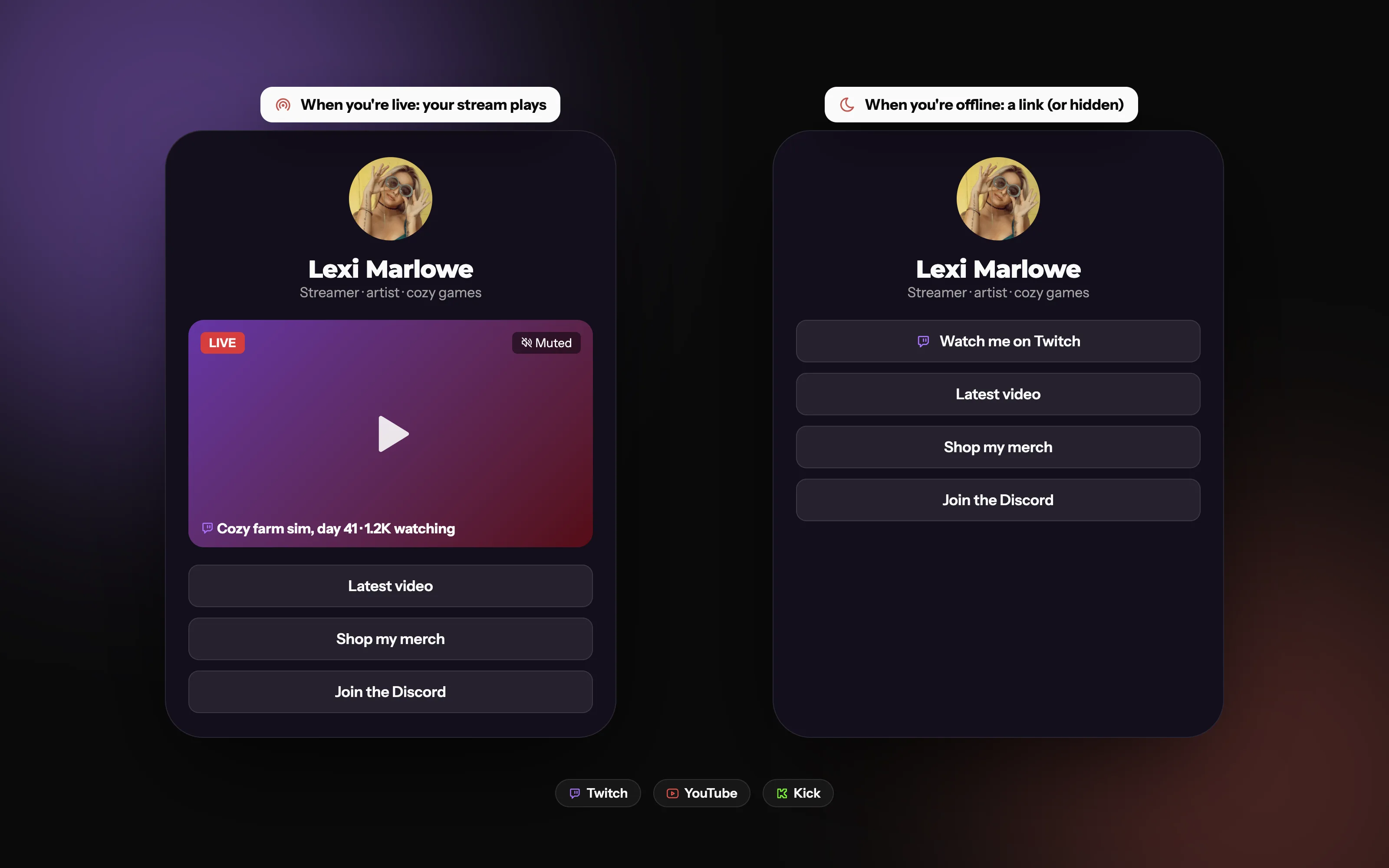
On Doras, a live block checks whether you're live each time your page loads. If you are, your stream plays right on your page, muted until visitors turn it up. If you're not, the block turns into a normal link to your channel, or hides itself completely. You choose which.
Same block, two states
Live: your stream plays on your page. Offline: a link to your channel, or nothing at all.
Why show your live stream on your link page?
Catch people from other platforms. Someone taps your link from TikTok or Instagram while you're live. Instead of a list of links, they land straight in your stream.
Fewer taps, fewer drop-offs. "Open page, see stream" beats "open page, find Twitch link, open app, find stream".
It shows you're active. A live player says "this person is streaming right now", which is a strong reason to stay.
It helps if you stream to more than one platform. Point people to the stream you want them in, without asking them to choose.
How do you embed a stream?
Copy your channel or stream link.
Add it to your page as a video or live block.
Check it on your phone, since most visitors will be on one.
Make the most of stream day
Put it at the top. On a phone, anything below the first screen gets far fewer taps.
Share your page link in your go-live posts, so everyone arriving from social lands in the stream.
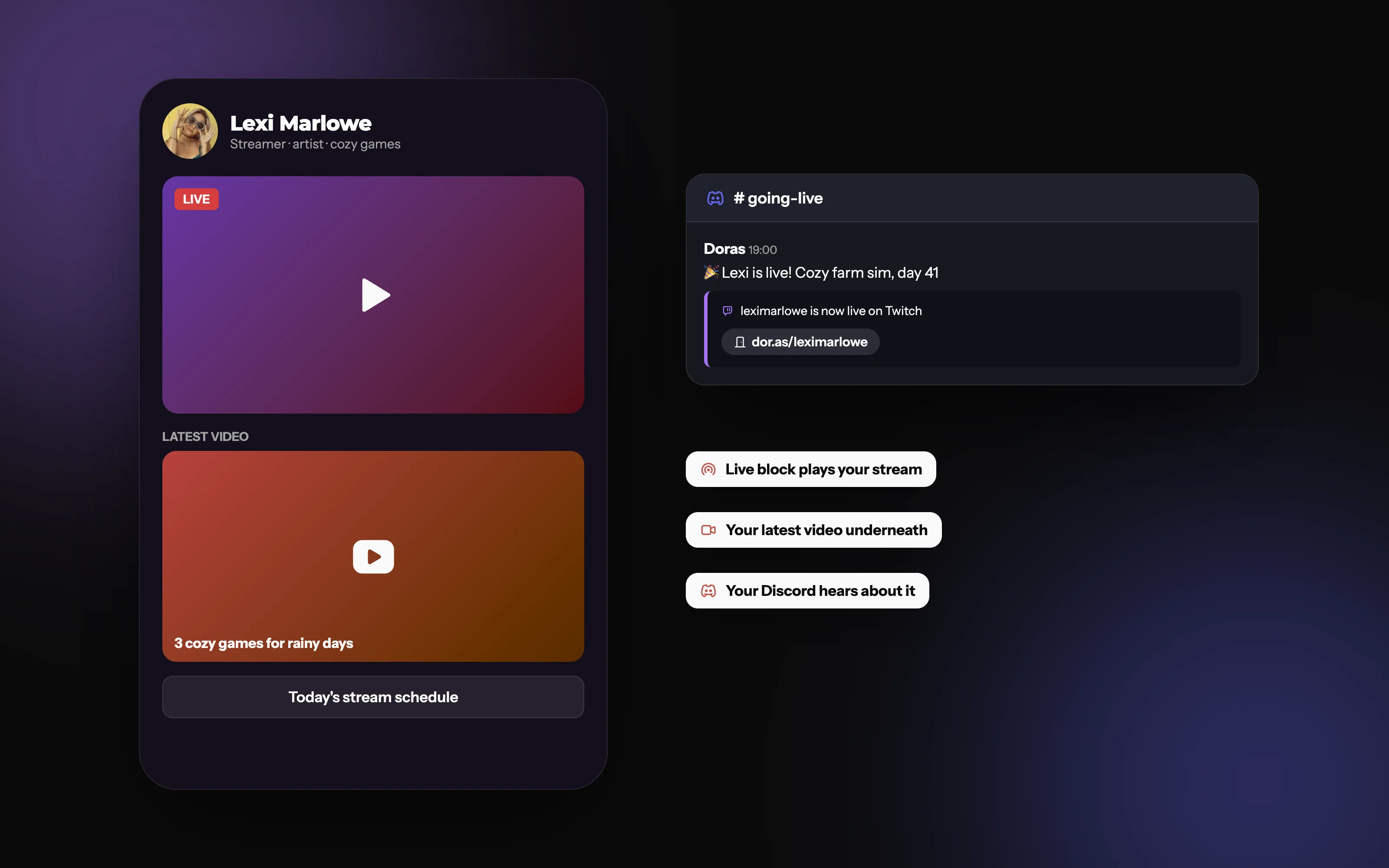
Pair it with other blocks: your latest YouTube video under the live block, your links under your Twitch stream, and live alerts in your Discord.
Common mistakes
Leaving a dead "offline" player at the top of your page all week.
Embedding a specific past broadcast instead of your channel, so the page never shows you live.
Forgetting to check how the player looks on mobile.
Everything ready for stream day
Your stream on top, your latest YouTube video below it so there's always something to watch, and a go-live alert in your Discord.
Platforms
Frequently asked questions
More from Doras
Put your stream on your page
Free on every plan, for Twitch, YouTube and Kick.
Get Started