Write where your audience already is
A blog that lives on your Doras page, so your posts sit right next to your links instead of on another site.
What is a creator blog?
A creator blog is a set of written posts that live at your own address, not inside a social app. It's where you put the things that don't fit in a caption or a clip: the story behind a project, a full tutorial, a recap of a big stream, or an announcement you want people to be able to find again next month.
Your posts live right under your links
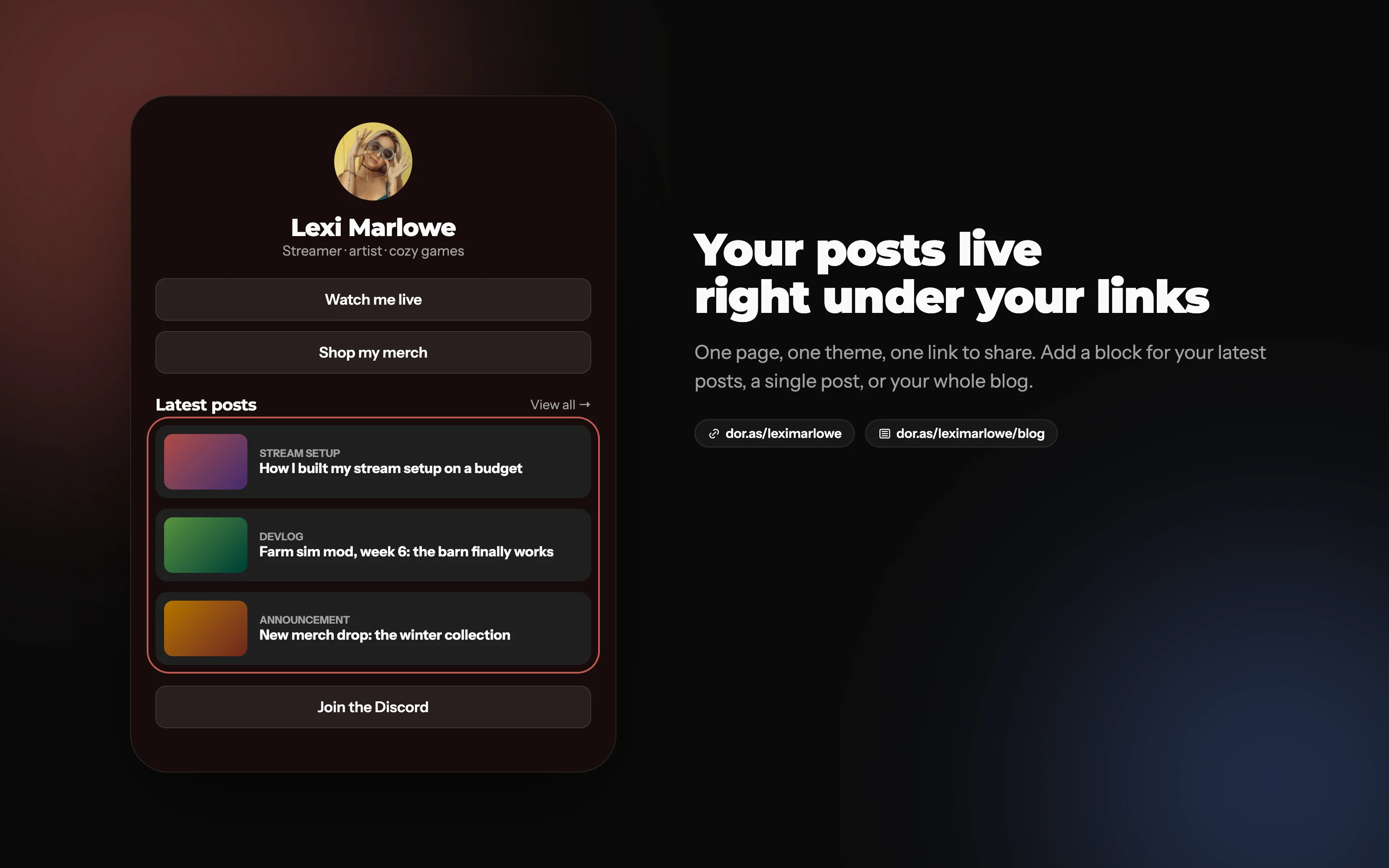
Add a block for your latest posts, a single post or your whole blog. Same page, same theme, one link to share.
Why should creators have a blog?
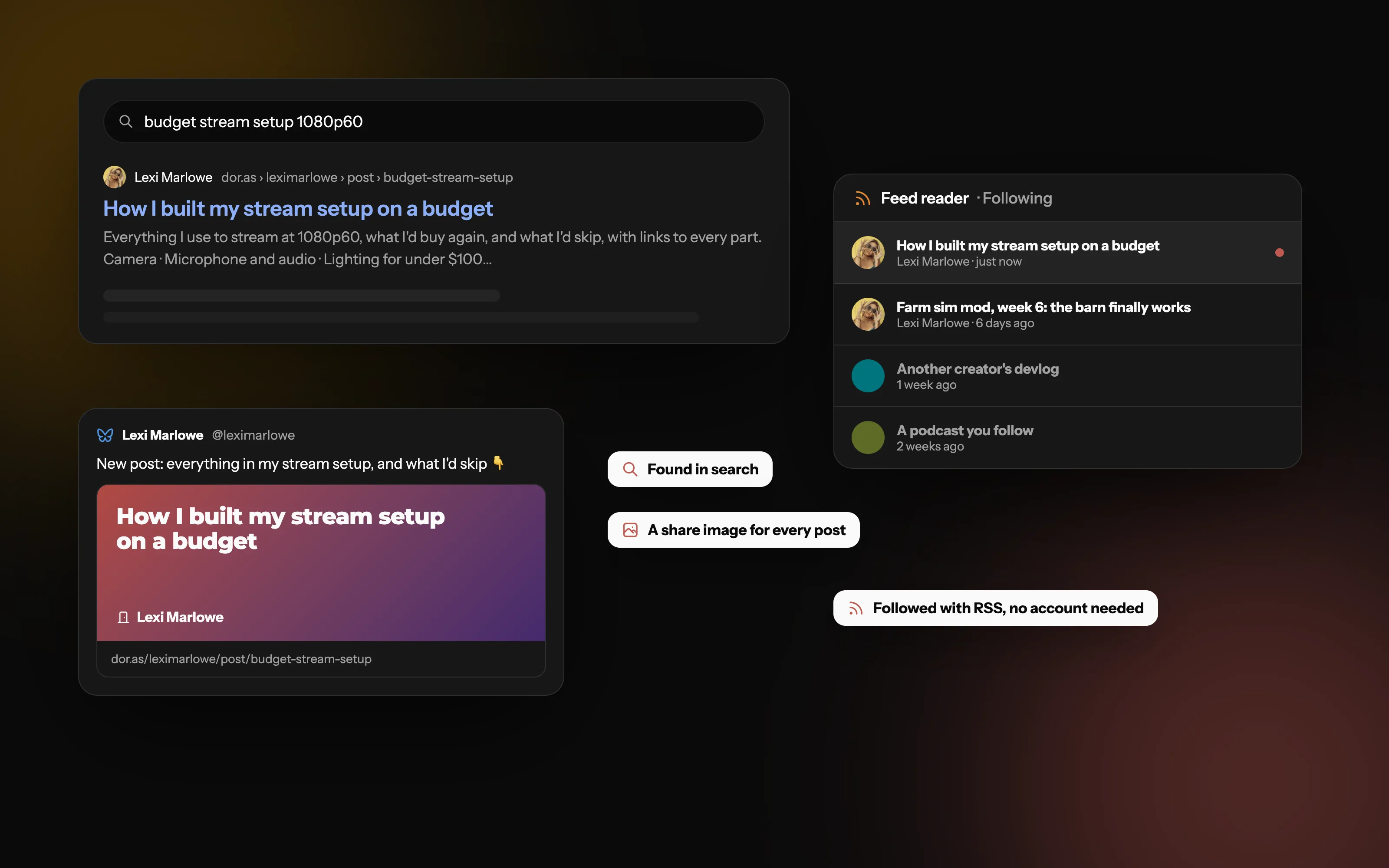
People find it through search. Social posts fade from feeds within a day or two. A useful post can keep bringing readers in from search engines for years.
You own it. An algorithm change can cut your reach overnight. Posts on your own page stay where you put them, and you decide what's shown.
Readers can follow you without an account. With an RSS feed, anyone can follow your posts in the feed reader they already use, and every new post reaches them.
It gives you room. Long explanations, step-by-step guides and full announcements read better as a post than as a thread split into ten parts.
It backs up everything else. A post gives you one link to share across every platform, instead of rewriting the same news five times.
Shared everywhere, followed anywhere
The source of truth for all your latest updates, shared across all your platforms
What should a creator write about?
You don't need to be a writer. Start with things you already explain to your audience:
Devlogs and progress updates: what you built this week, what broke, what's next.
Stream and event recaps: highlights, results, and thanks to the people who took part.
Tutorials and guides: your settings, your setup, how you do the thing people ask about.
Announcements: new merch, schedule changes, partnerships, a big project launch.
Behind the scenes: how a video came together, or what you learned from a year of streaming.
Organize posts the way your audience reads them
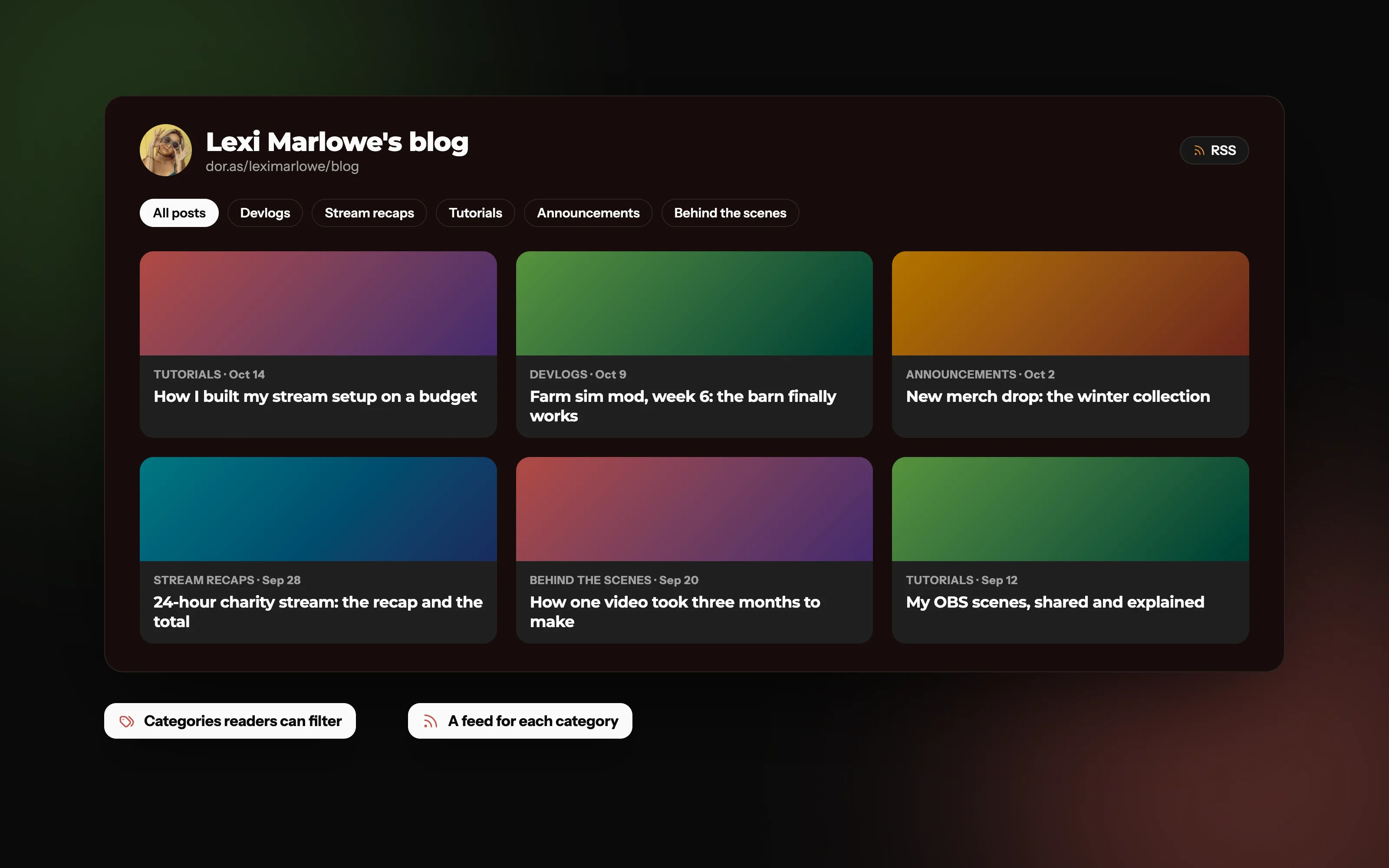
Group posts into categories readers can filter, each with its own RSS feed
How do you write a blog post people actually read?
Use headings
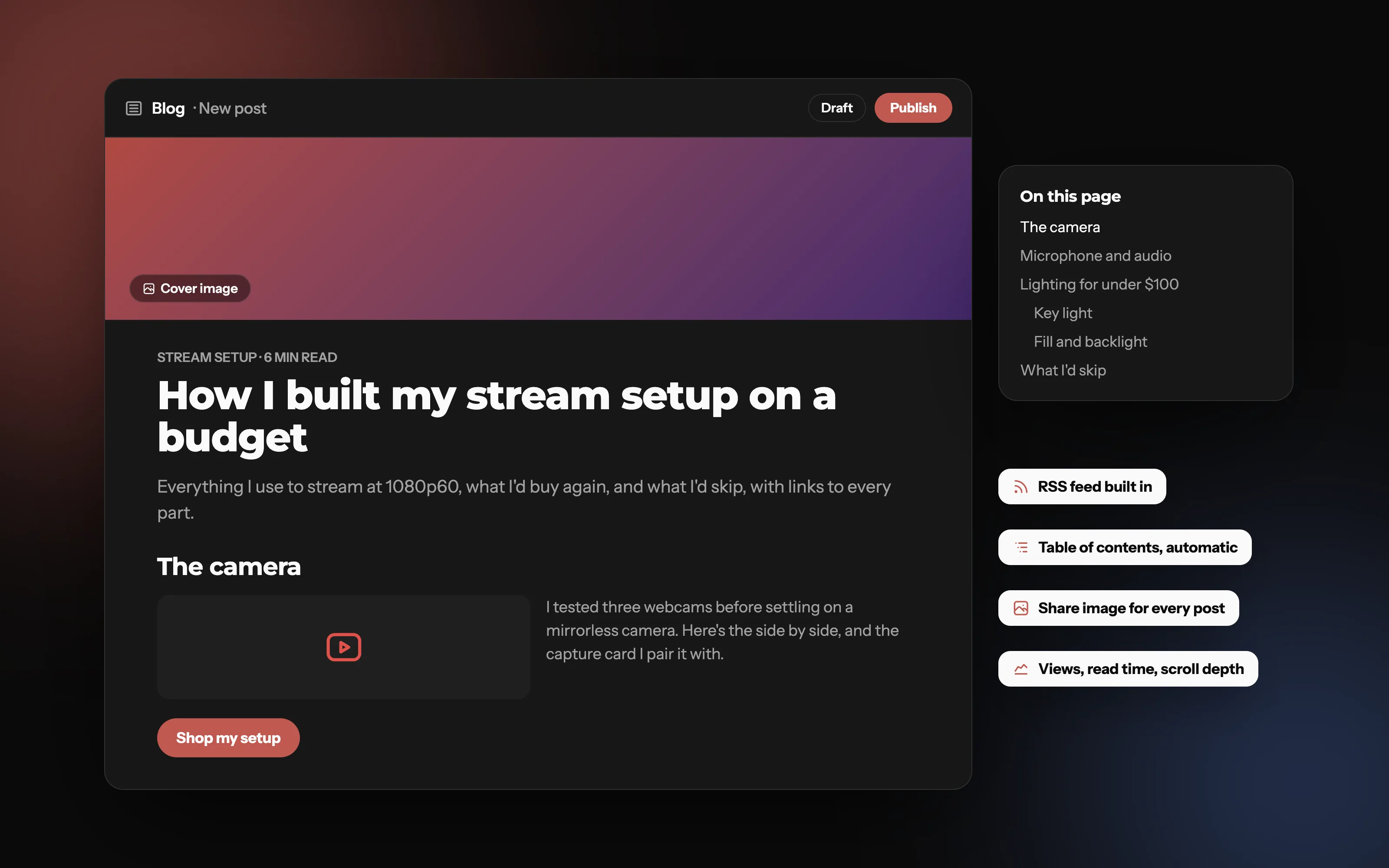
Break the post up with clear headings so readers can skim to the part they want. Headings also help search engines understand what the post covers, and on Doras they build the table of contents for you.
Add a cover image
A cover image makes the post stand out when it's shared and when it's listed next to your other posts.
Be consistent
One post a month, every month, beats ten posts in a week and then silence. Pick a pace you can keep.
Common mistakes
Titles that are clever but vague. Say what the post is about.
Walls of text with no headings, lists or images.
Posting and never sharing the link anywhere.
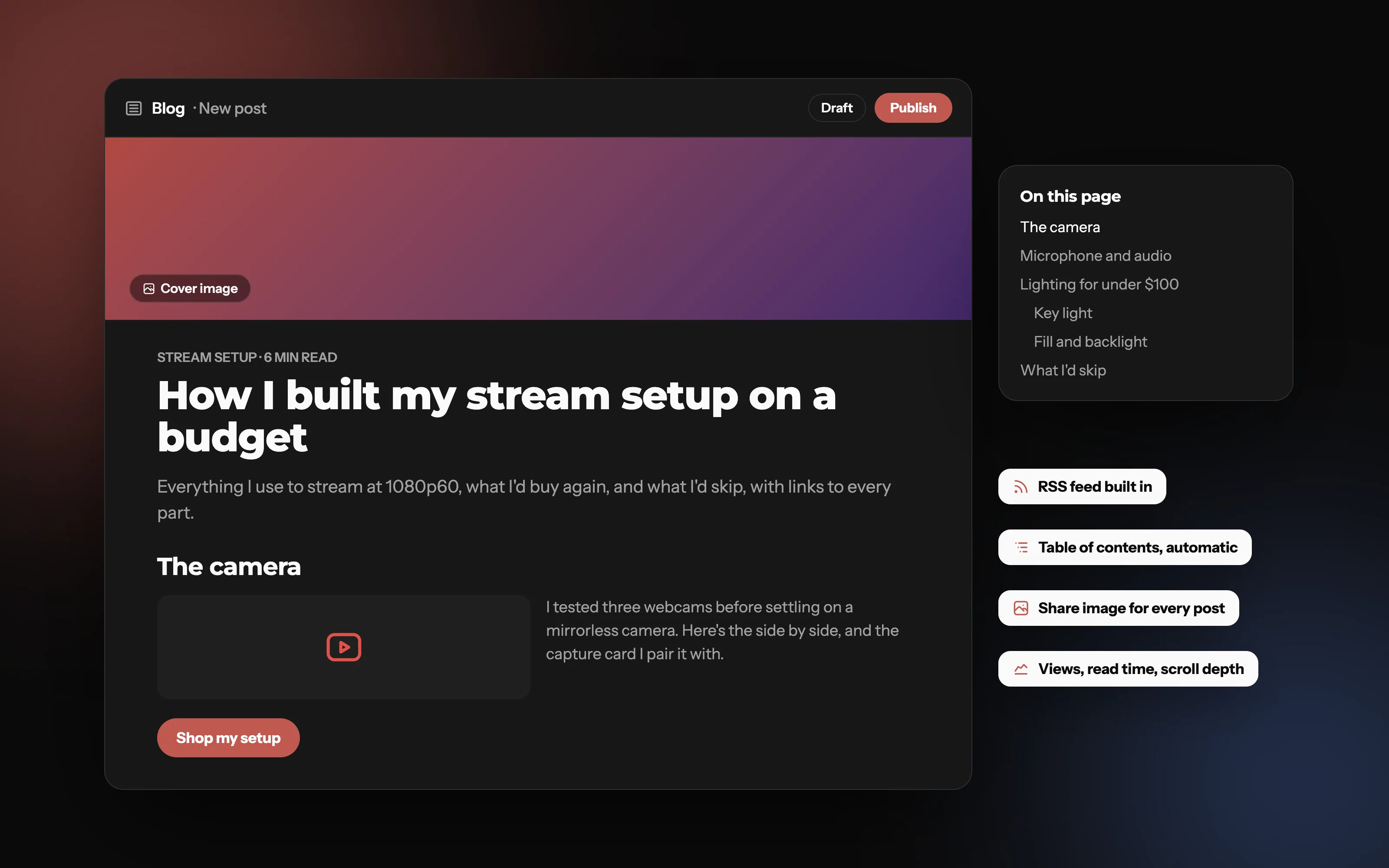
An editor that stays out of your way
Headings, lists, columns, buttons and YouTube embeds, a cover image for every post, and a table of contents built from your headings. Save a draft and publish when you're ready.
Blog vs newsletters vs posts on social media: what's the difference?
Social media posts are quick and reach people inside the app you posted it, but they disappear from feeds fast. Newsletters however land in peoples inboxes, but with the downside they'd already need to be subscribed. A blog however is public, searchable, and permanent. Anyone can find it, and it's easy to share across other platforms for more reach.
Most creators get the best results using a blog as their home for everything worth keeping and then sharing it everywhere.
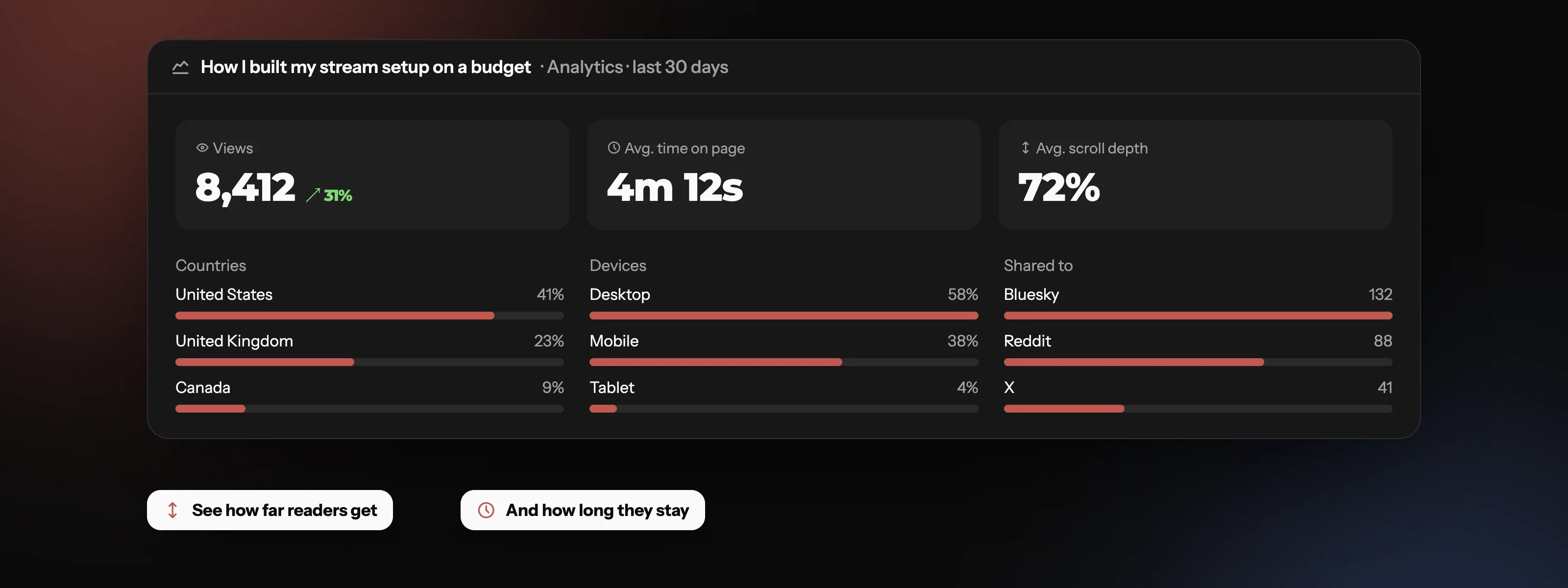
See how far readers get
Each post has its own analytics . How many people read it, how long they stay, how far they scroll, where they're reading from, and where they share it. Use it to see which topics your audience wants more of.
Everything a post needs
Frequently asked questions
Start writing
Your posts, your links and your theme, all at one link.
Get Started