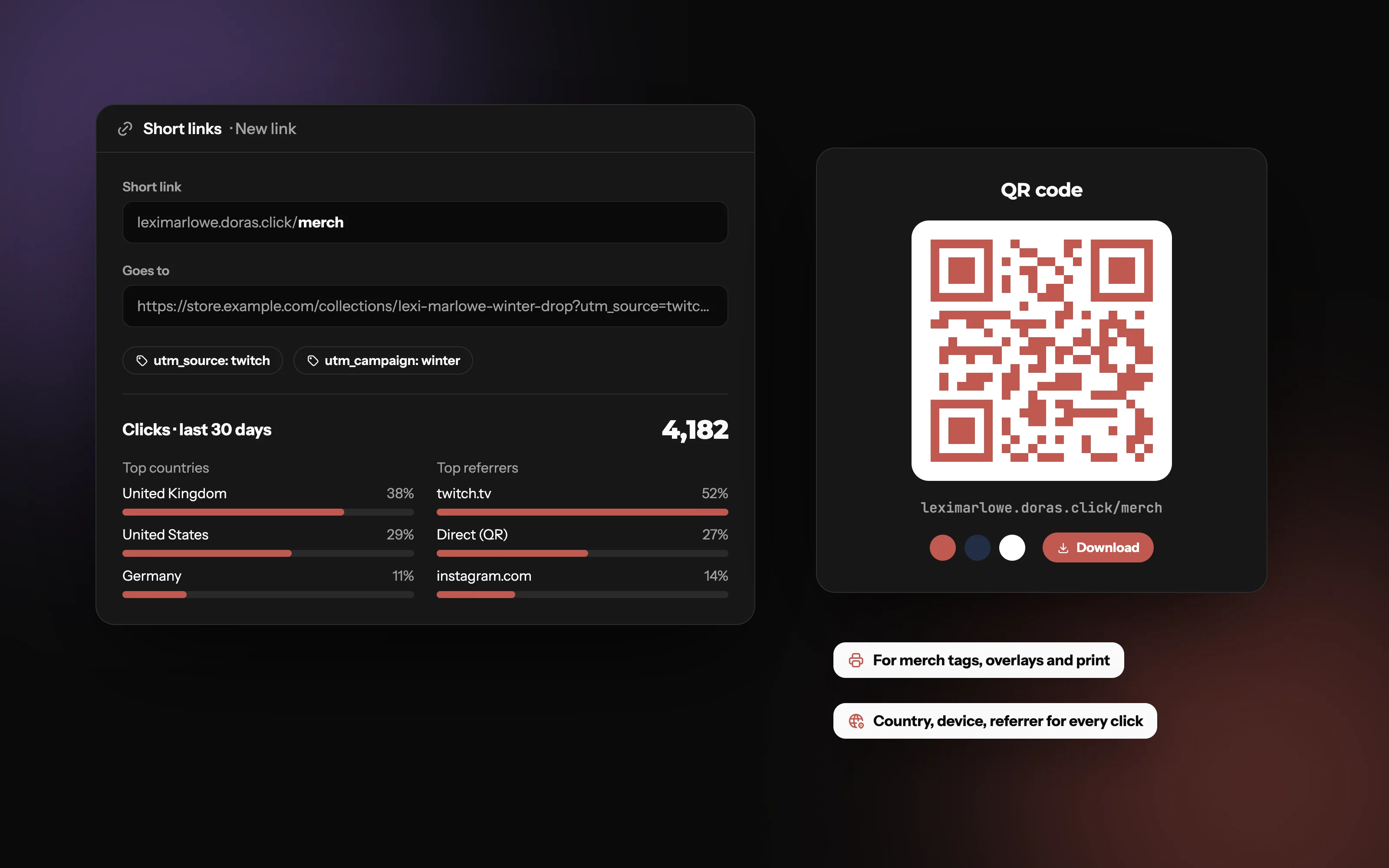
Short links that know where your clicks come from
Turn long links into short ones on your own subdomain, with a QR code for every link and clicks counted automatically.
What is a link shortener?
A link shortener turns a long web address into a short one. When someone opens the short link, they're sent straight on (redirected) to the original page. The visitor ends up in the same place; the link they had to read, type or tap was just much shorter.
Because every visit passes through the short link first, the shortener can also count each click and note where it came from.
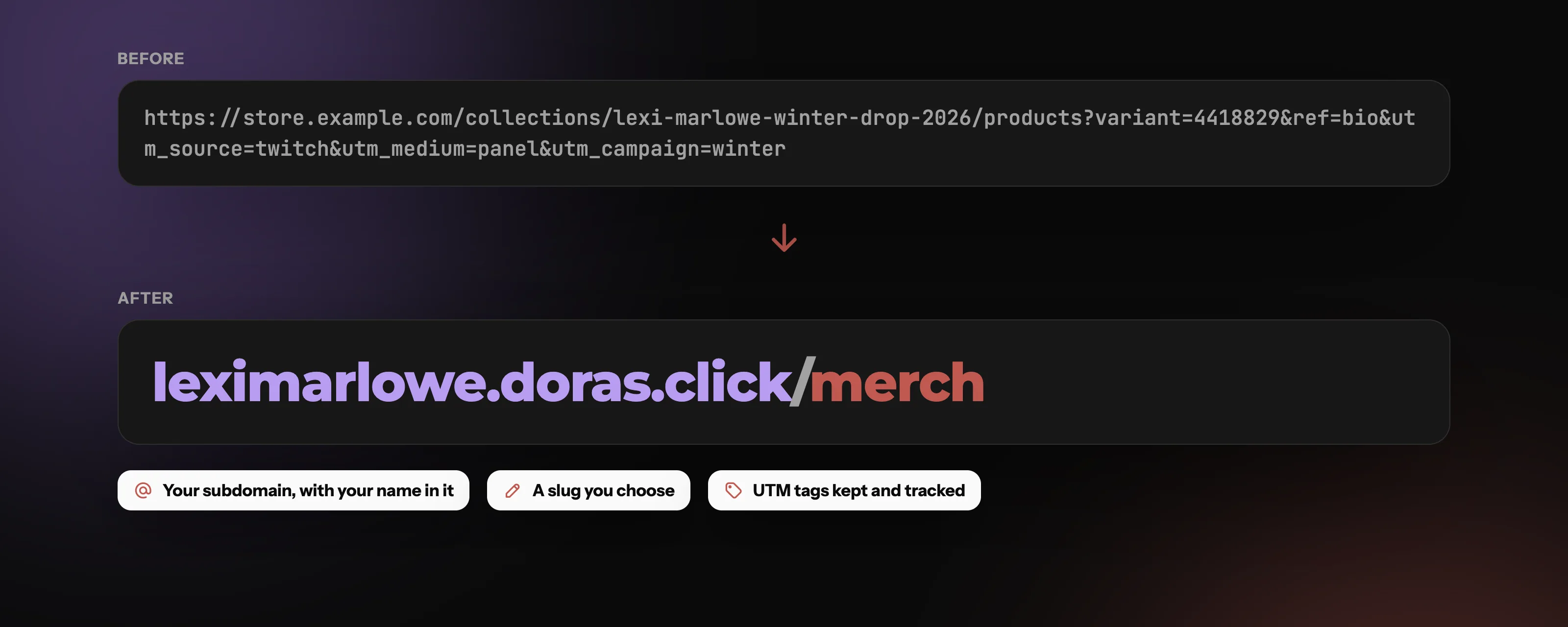
Your name in every link
Every Doras account gets its own address, yourname.doras.click. Pick the slug, paste the destination, and share yourname.doras.click/merch instead of a long, messy URL. On Plus and Pro your links also work on your own domain.
Why do creators use short links?
Clean links anywhere. Bios, video descriptions, stream overlays and chat commands all look better with /merch than with a 120-character store URL.
Links people can type. If a link is on screen during a stream or printed on a sticker, viewers have to type it. Short and readable matters.
One link you can update. If your merch store moves, change where the short link points instead of hunting down every place you posted it.
Knowing what works. Click counts show whether people came from your YouTube description, your Twitch panel or a tweet.
What makes a good short link?
Use readable slugs
The slug is the part after the slash. /discord and /tour-2026 tell people what they'll get; /x7Gq2 doesn't, and people are more cautious about clicking links they can't read.
Keep them stable
Once a short link is printed or said out loud on stream, keep it working. Change the destination, not the slug.
Common mistakes
Shortening a link and never checking the clicks.
Using a different slug style every time, so nobody can guess your links.
Reusing one link for everything, so you can't tell which placement worked.
Change where it goes, keep the link
Choose the slug for every link and change where it points any time; the short link keeps working. Each link has its own click stats and, on Plus and Pro, a QR code.
When should you use a QR code?
A QR code is a short link people can scan with a phone camera. Use one wherever people can't click: on stream (a corner overlay during a giveaway), on merch tags, flyers, business cards, event badges and packaging. Test it from a distance before you print, and make sure there's enough contrast between the code and its background.
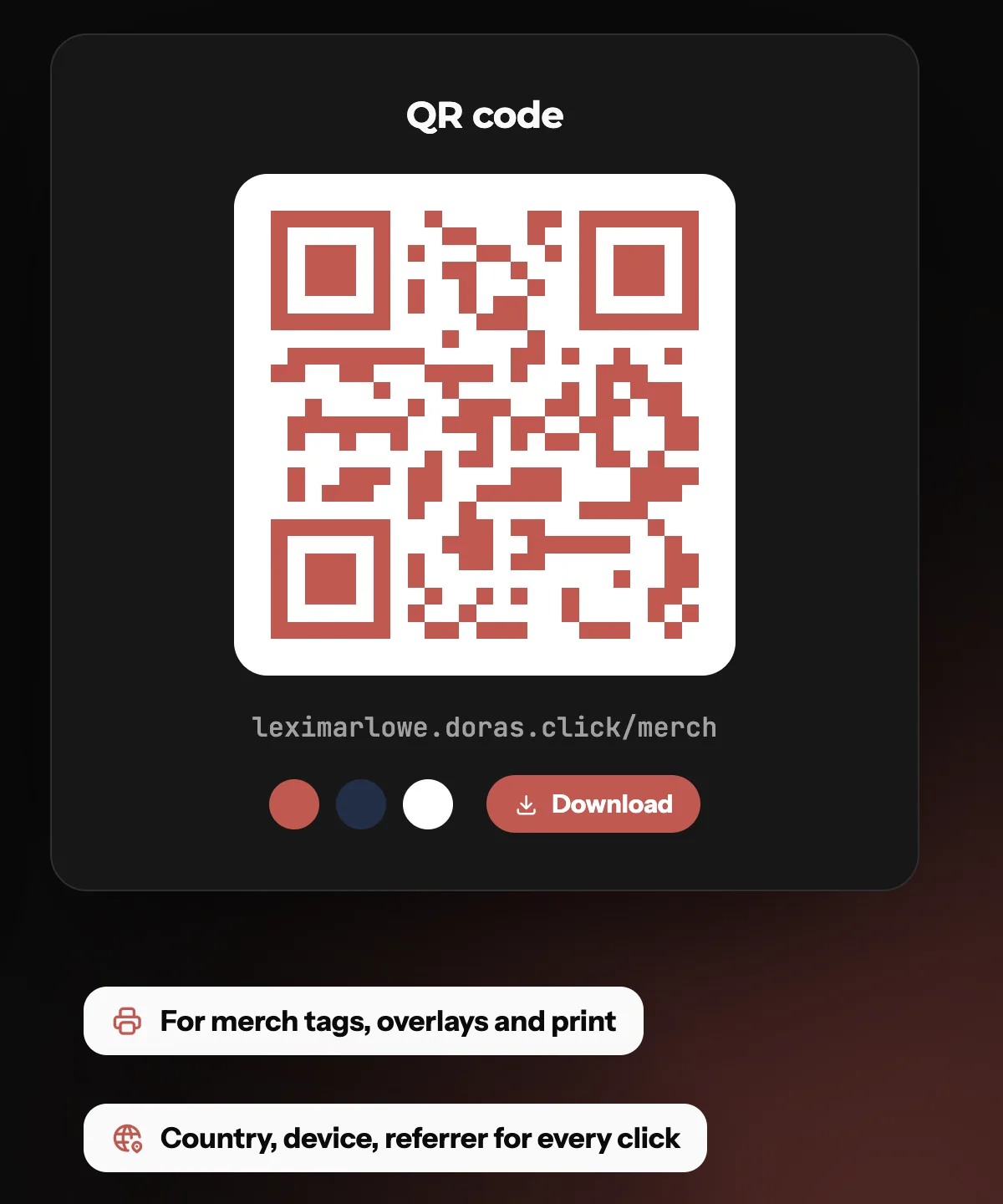
A QR code for every link
Style it in your colors and download it for stream overlays, merch tags and print. QR codes come with Plus and Pro.
What are UTM tags?
UTM tags are small labels added to the end of a link, like ?utm_source=youtube&utm_medium=video&utm_campaign=summer-merch. They don't change where the link goes; they tell your analytics where the click came from.
The three you'll use most
utm_source: the site or platform, such as youtube, twitch or instagram.
utm_medium: the type of placement, such as video, bio or overlay.
utm_campaign: what you're promoting, such as summer-merch or charity-stream.
Keep the names consistent
Pick one naming style (lowercase, hyphens) and stick to it, or your reports end up split between YouTube and youtube.
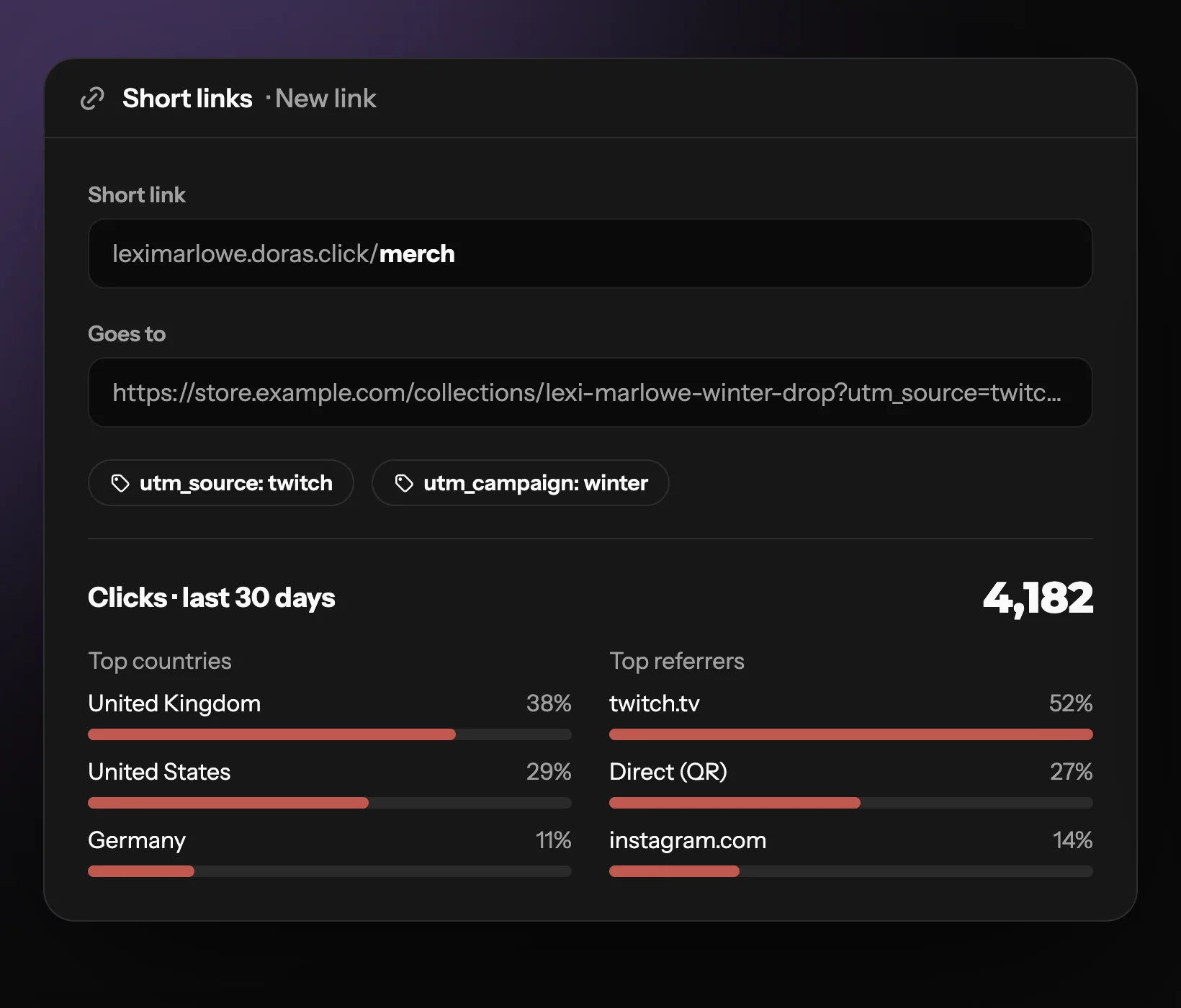
See every click
Where people clicked from, by country and city, device and referring site. Add UTM tags to a link and they're recorded with each click too.
Branded vs generic short links: what's the difference?
Generic shorteners give every user the same domain, so your link looks like everyone else's. A branded short link carries your name, so viewers know it's really from you before they click.
| Feature | Branded short link | Generic short link | Full URL |
|---|---|---|---|
| Shows who it's from | Partial | ||
| Easy to read out or type | Partial | ||
| Change where it points later | Partial | ||
| Counts clicks | |||
| Best for | Bios, overlays, print and anything you say out loud | Quick one-off shares | Places nobody has to read it |
What's included
What each plan includes
| Feature | Free | Plus | Pro |
|---|---|---|---|
| Short links | 5 | 20 | Unlimited |
| yourname.doras.click | |||
| Your own domain | |||
| QR codes | |||
| Click stats |
Frequently asked questions
More from Doras
Get your own short links
yourname.doras.click, a QR code for every link, and stats for every click.
Get Started