What is a link in bio?
Most social apps give you one link on your profile. A link in bio page is where that link goes: one page with everything you want people to find, whether that's your stream, your latest video, your shop or your socials. Doras gives you that page at dor.as/yourname, and lets it do more than list links: embed your live stream, post to your own blog, and show sponsors your real stats.
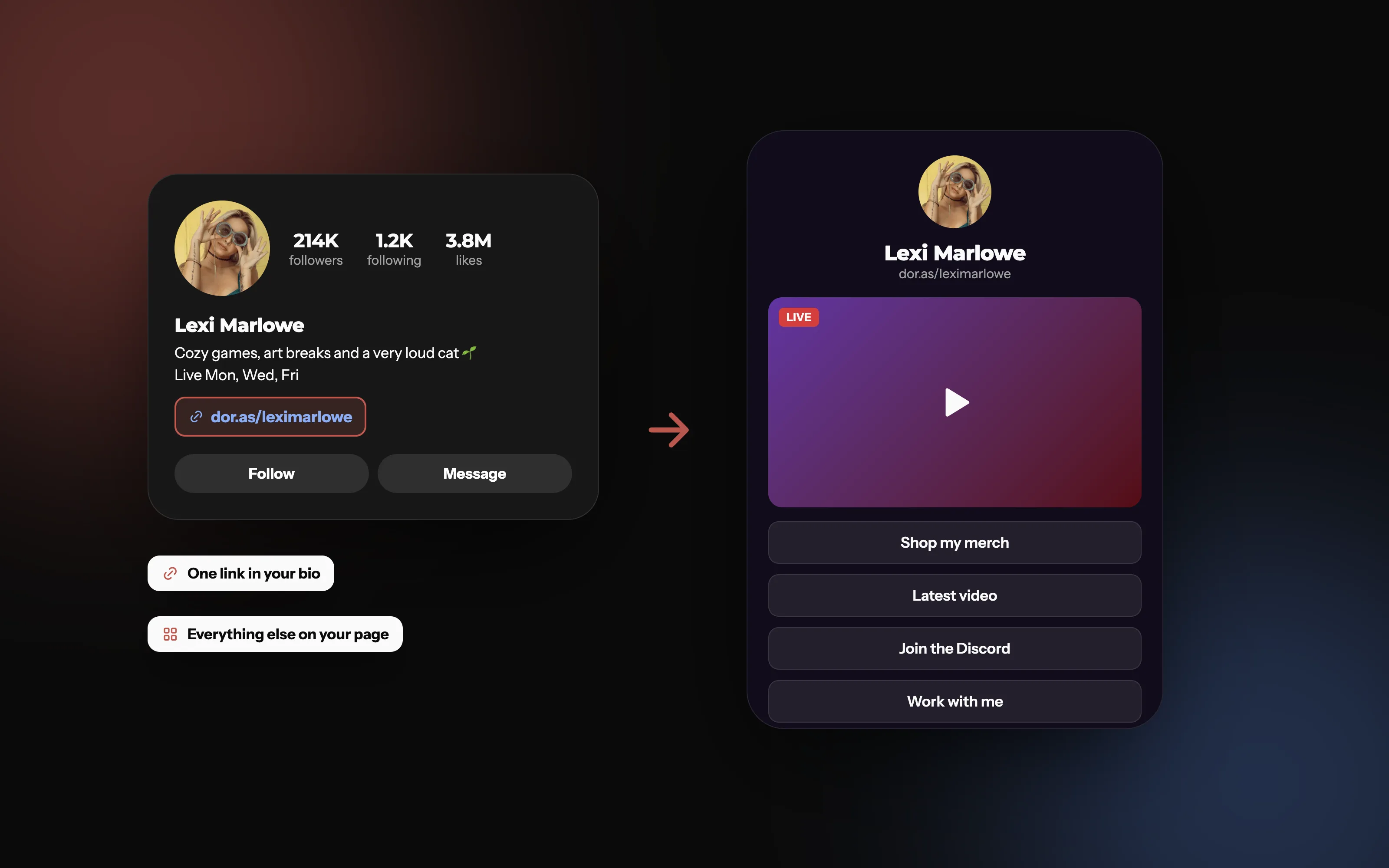
One link in your bio, everything else on your page
Your bio gets one link. Point it at a page that holds your stream, your latest video, your merch and a way to work with you.
Everything you can put on your page
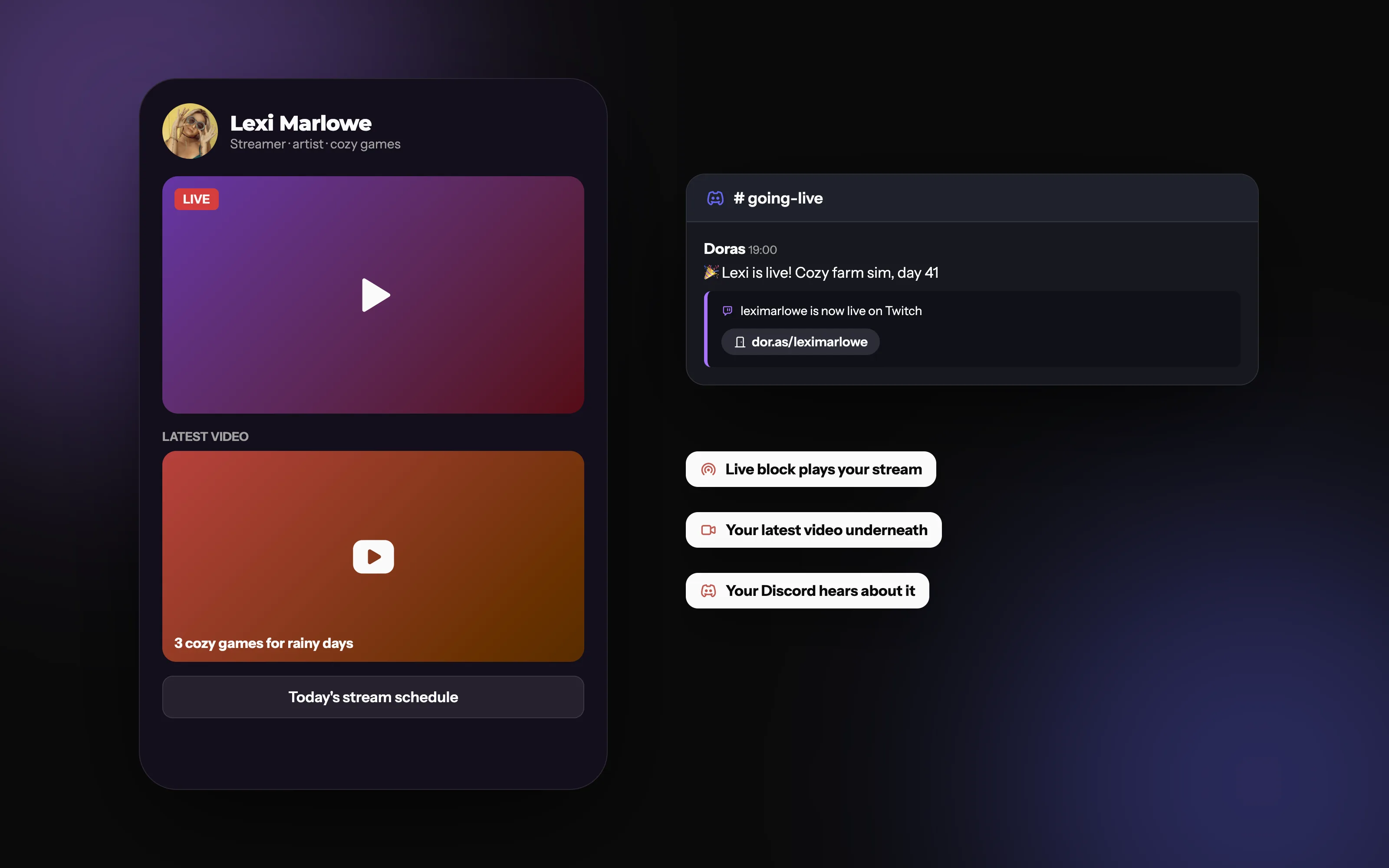
Your stream, your videos and your links, together
Live blocks play your stream when you're live, your latest video sits underneath, and your Discord hears about it.
Make it look like you
Start from a theme another creator shared, or build your own. Pick from seven theme colours for your buttons, text, headings and borders, choose a heading font and a body font from over 40, and set the corner radius, shadows, borders and spacing until it feels like yours. Use a colour or your own image as the background.
Made something you like? Share it with a code, so other creators can start from it.
Want full control? On Plus and Pro you can style anything with your own CSS. Every class, ID and variable you can target is in our CSS reference guide.
One link, everywhere you are
Your page is at dor.as/yourname and yourname.dor.as from day one. On Plus and Pro you can put it on a domain you own too.
Put it in every bio: Instagram, TikTok, YouTube, X, Bluesky, Twitch, your email signature.
Print it: make a QR code for your page in your colours, with your logo in the middle.
Let visitors share it: the share button sends your page to Bluesky, X, WhatsApp, Reddit, LinkedIn, Facebook or email.
Show it under your stream: the Doras Twitch extension lists your links below every stream, always in sync with your page.
Need more than one page? Free has one, Plus three and Pro as many as you like, each with its own blocks.
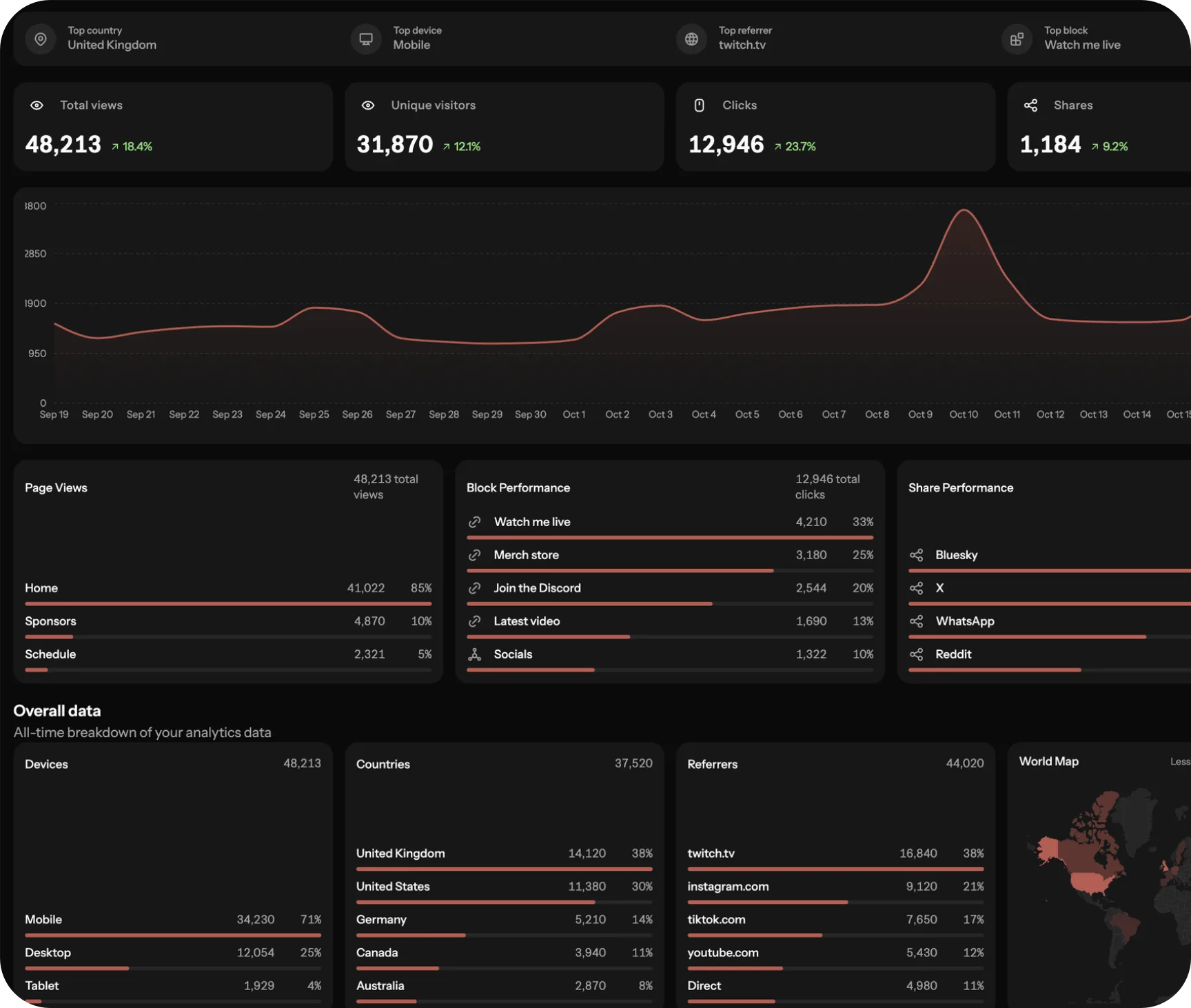
See what's working
Views and clicks for your page and every block on it, with the countries, devices and sites your visitors come from, from the last 7 days to all time. Per-block and session detail is on Pro.
Go live in 3 steps
Choose your theme or create one from scratch
Add blocks to what matters most
Share your link and add it to your social bios
Frequently asked questions
More from Doras
Start your profile
Unlimited blocks, a theme that's yours, and a page that does more than list links.
Get Started