Tell your Discord when you go live
Post alerts for Twitch, Kick and YouTube streams, new uploads and Shorts to your server, with your Doras page attached.
What are Discord live notifications?
A live notification is a message that posts in your Discord server when you start streaming, usually with your stream title, a preview and a link to watch. Your community sees it right where they already hang out, instead of relying on Twitch or YouTube to notify them. The same idea works for videos: post new YouTube uploads and Shorts too, so members who prefer videos to streams still hear about new content.
Why do go-live alerts matter?
Platform notifications are unreliable. Many viewers turn them off, miss them or never get them. Your server is a channel you control.
The first minutes count. Early viewers make a stream look active, which helps keep the people who arrive later.
It brings your community together. Your most engaged fans are often in your Discord. An alert there turns "I'll catch the VOD" into "I'm in chat".
Alerts your community will actually click
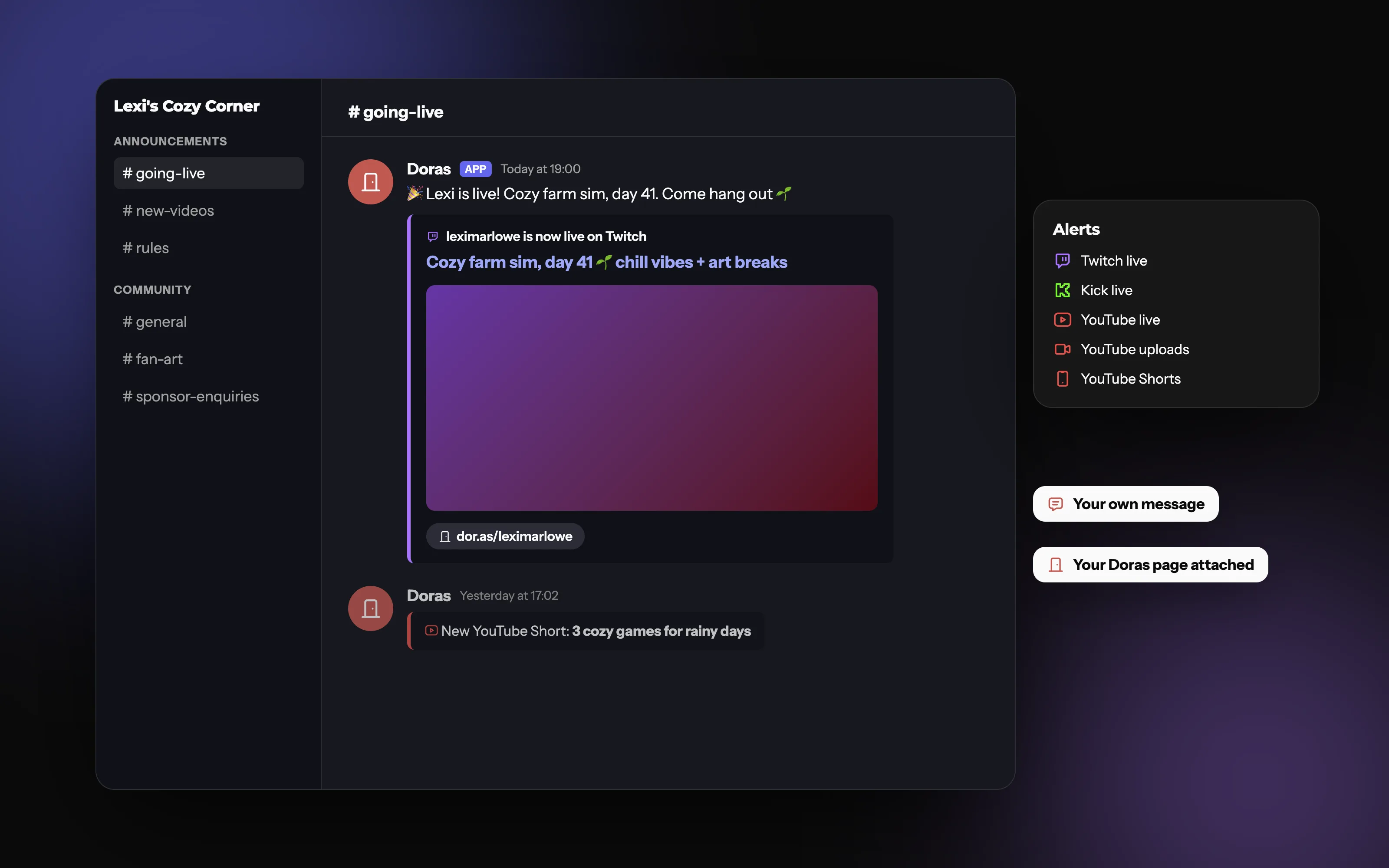
A go-live alert and an upload alert in your server, each with your own message and a link to your Doras page.
What does a good live alert look like?
A dedicated channel
Post alerts in their own channel, like #live or #stream-alerts, so they don't bury the conversation, and people who want them can follow just that channel. Stream on more than one platform? Send every platform's alerts to the same channel, so your community doesn't need to know where you're streaming today.
A short, human message
"Live now: ranked grind until we hit Diamond" beats a generic "X is now live!". Say what the stream is about, so people have a reason to click.
Polite pings
Pinging @everyone on every stream is the fastest way to get your server muted. Instead, create a role like @Stream Pings that members choose to join, and ping that.
Common mistakes
Pinging @everyone for every stream, upload and Short.
Alerts in your main chat channel, where they interrupt conversation.
Stale alerts: a "live now" post that stays up days after the stream ended, with no sign it's over.
Posting only the stream link, so new members can't find your other socials.
How do you set up live notifications in Discord with Doras?
Connect your Discord to your Doras account in settings.
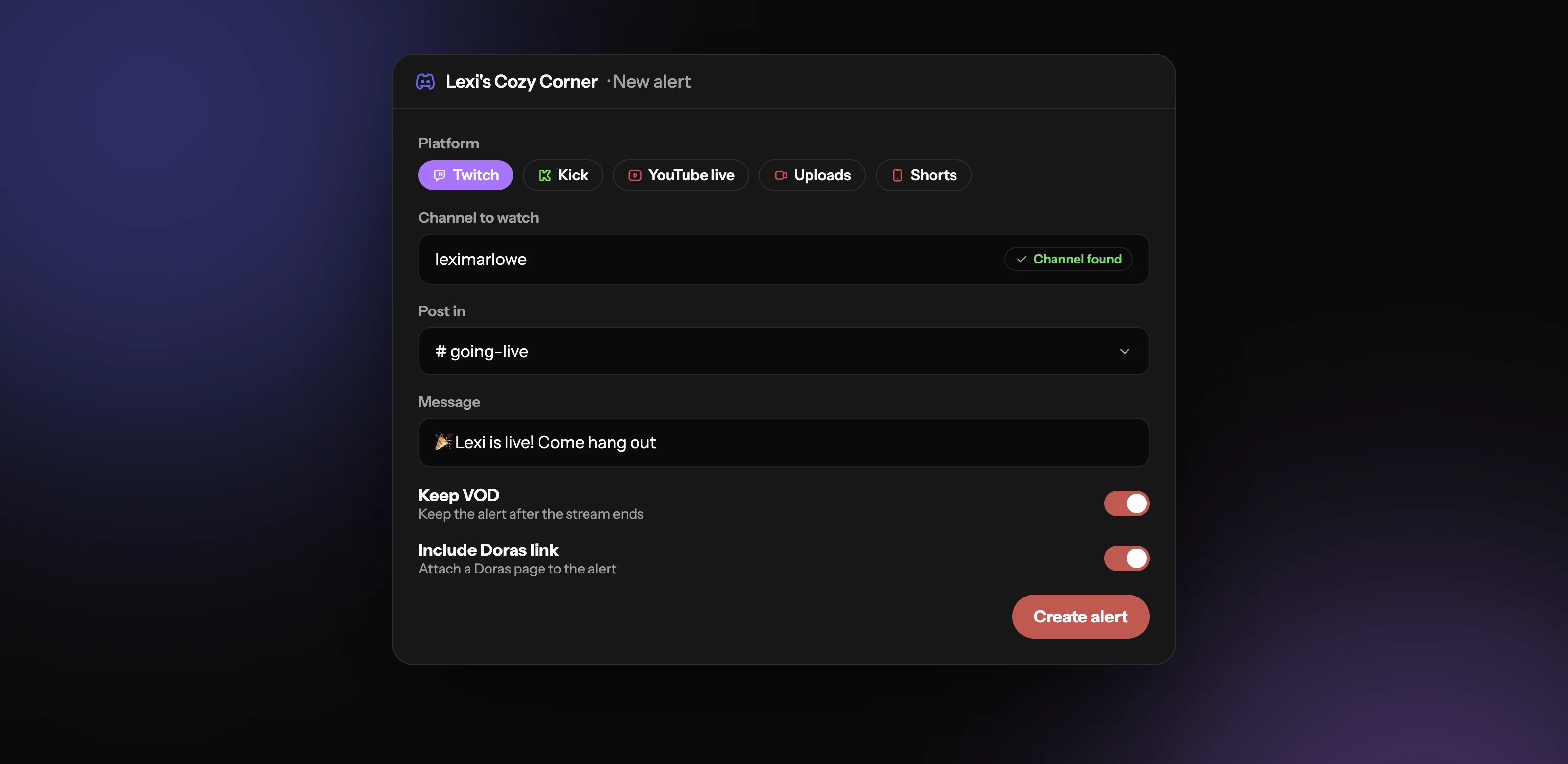
Pick your server and add an alert: choose the platform and the channel to watch.
Choose the Discord channel to post in, write a message, and decide whether to keep the post after the stream ends.
Set up in minutes
Pick Twitch, Kick or YouTube (live, uploads or Shorts), the channel to watch and the Discord channel to post in. Add your message, attach a Doras page, and use Keep VOD to keep the post after the stream ends.
Discord bot vs webhook: how are alerts delivered?
Alerts are usually posted by a bot or a webhook. Either way, give it permission to post only in the channels it needs.
| Feature | Bot | Webhook |
|---|---|---|
| Added to your server as an app | ||
| Checks whether you're live by itself | ||
| Can usually edit or remove its posts later | ||
| Tied to a single channel | ||
| Best for | Live and upload alerts | Posting from another service, like a form |
Can form submissions go to Discord?
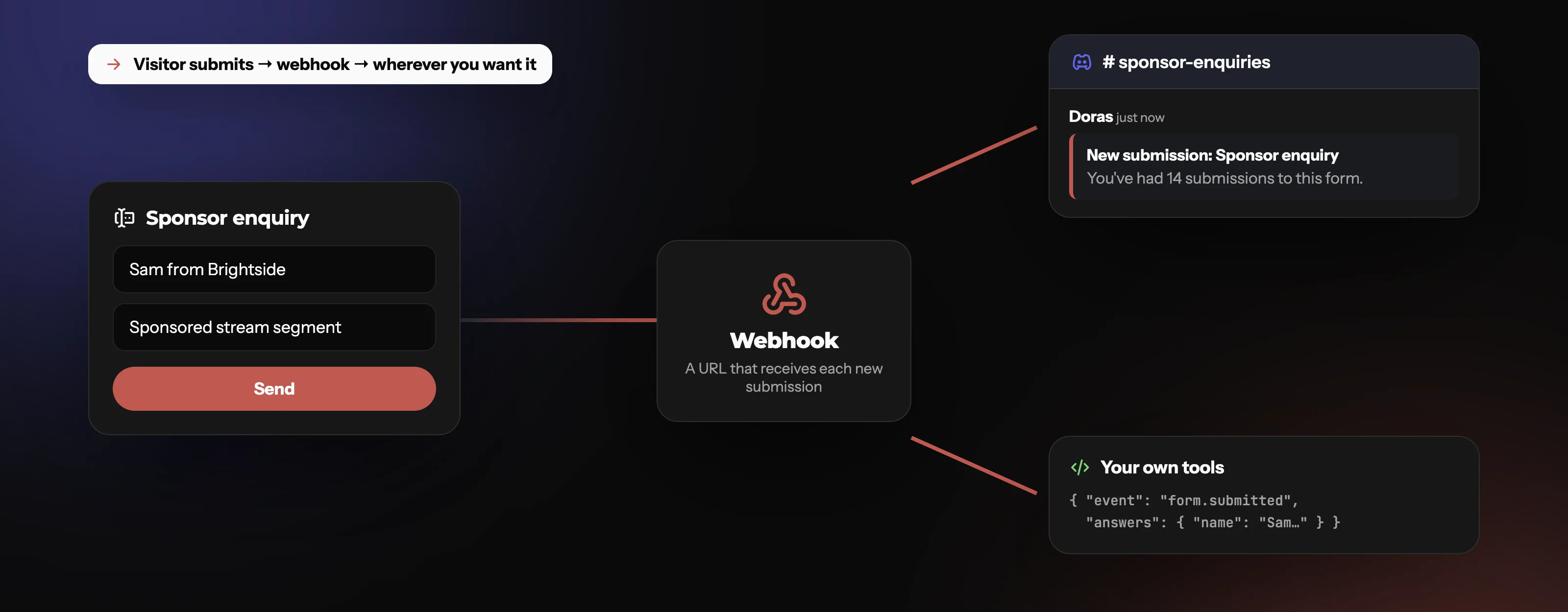
Yes. Put a form on your page for sponsor inquiries or mod applications, add a Discord webhook to it, and each new submission pings your server.
The Doras community server
Link your Discord to Doras to get your role in the Doras community server, where Pro members get a Pro role too.
Your forms ping your server, too
Each new form submission posts in the Discord channel you choose, through a webhook, so you and your mods see it straight away.
What it covers
Frequently asked questions
More from Doras
Bring your community along
Live alerts, upload alerts and form pings, all from your Doras account.
Get Started