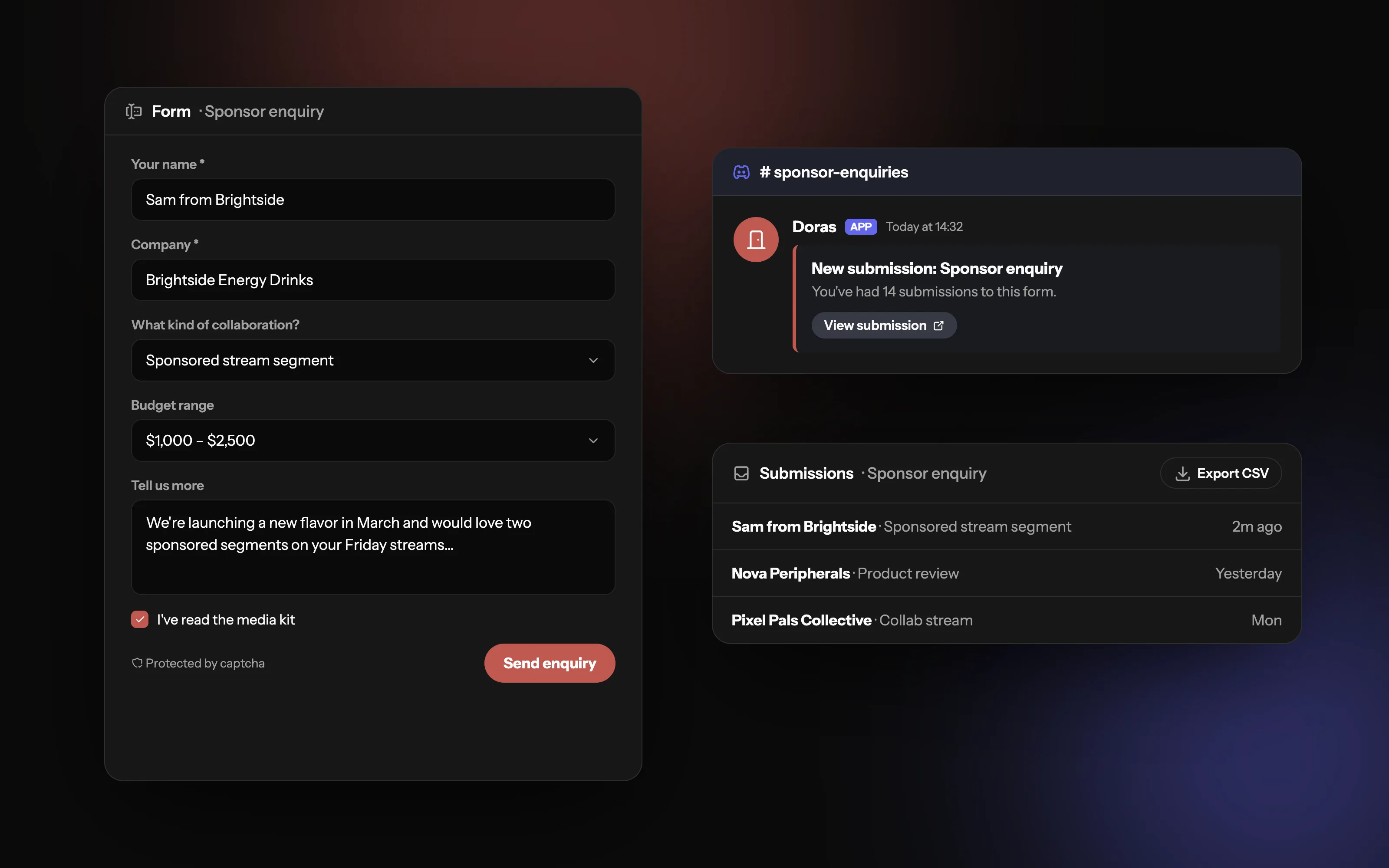
Inquiries, straight to your Discord
Put a form on your page and get every submission in your inbox, by email, and as a ping in your Discord server.
Why put a contact form on your page?
Most creators start with "DMs open" or an email address in their bio. It works until it doesn't: messages get lost between memes and "hey" messages, an email address in plain text attracts spam and scam "brand deals", and people write "interested in working together?" and nothing else. A form gives you one place for every inquiry, no email address on show, and the same questions answered every time.
What can creators use forms for?
Sponsor and brand inquiries
Collab requests from other creators
Commissions for art, overlays, edits or music
Mod and team applications for your community
Fan mail, feedback and bug reports for games or tools you make
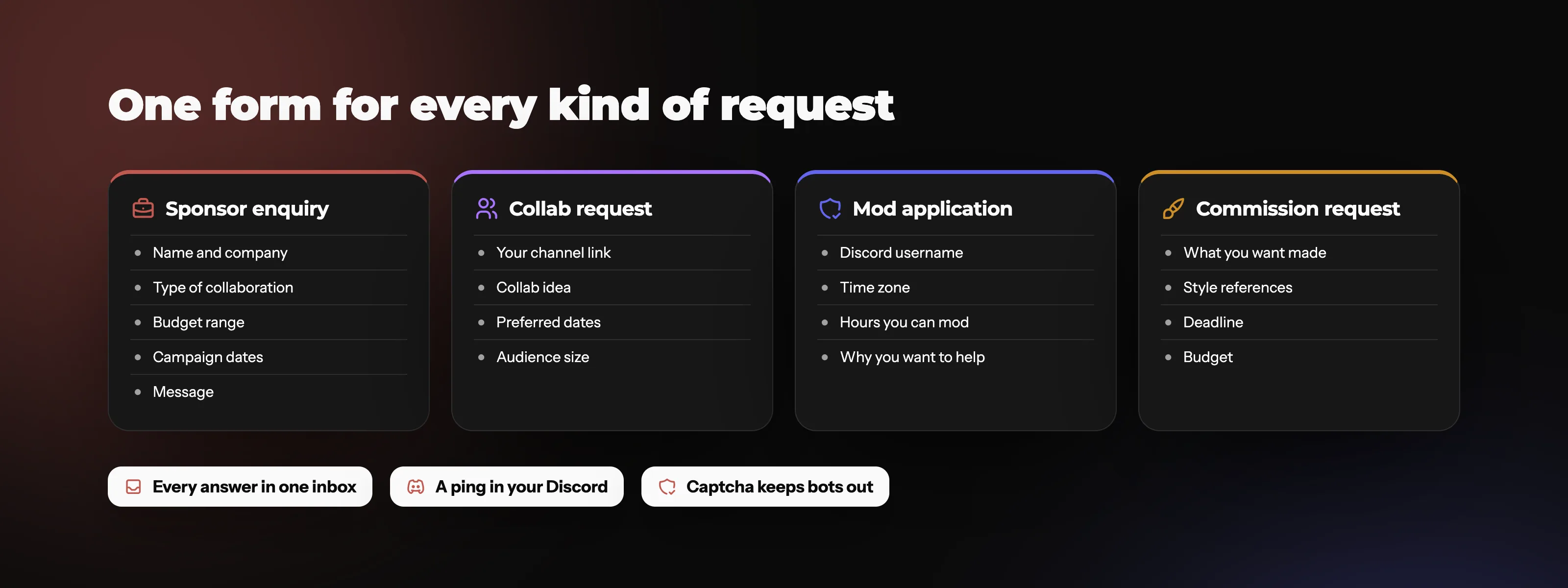
A form for every kind of request
Build a separate form for sponsors, collabs, mod applications or commissions, each asking only what you need to reply.
What should a sponsor inquiry form ask?
Keep it short enough that people finish it, but ask what you need to reply properly:
Name and company: who's asking.
How to reach them: an email address or Discord handle.
What they want: a dropdown of collab types (sponsored stream, video, social post, other).
Budget range: optional, but it saves you both time.
Timeline: when the campaign runs.
Details: a long-answer box for anything else.
Mark only the essentials as required. Every extra required field loses a few people.
How do you stop form spam?
Use a form with a captcha, which blocks most automated bots.
Prefer dropdowns and checkboxes over free text where you can; bots and low-effort messages struggle with them.
Post submissions to a private staff channel, not a public one.
Common mistakes
Asking ten required questions for a simple fan message.
Sending submissions somewhere nobody checks.
Forgetting to reply. A form only works if people hear back.
A form that opens right on your page
Short and long answers, checkboxes and dropdowns, in your own colors, with a captcha on every form. Add it to your page as a button or link to its own page, and every submission lands in your inbox.
How do you send form submissions to Discord?
What is a webhook?
A webhook is a private web address that lets one app post a message into another. In Discord, each webhook belongs to one channel: anything sent to it shows up there as a message. You create one in that channel's settings (under Integrations) and copy its URL.
Why use one
Paste that URL into your form and every new submission posts to the channel you choose, so you and your mods see it within seconds and can discuss it right there. Running a server? See everything else Doras does with Discord.
Keep it safe
Anyone with a webhook URL can post to that channel. Don't share it publicly; if it leaks, delete it and make a new one.
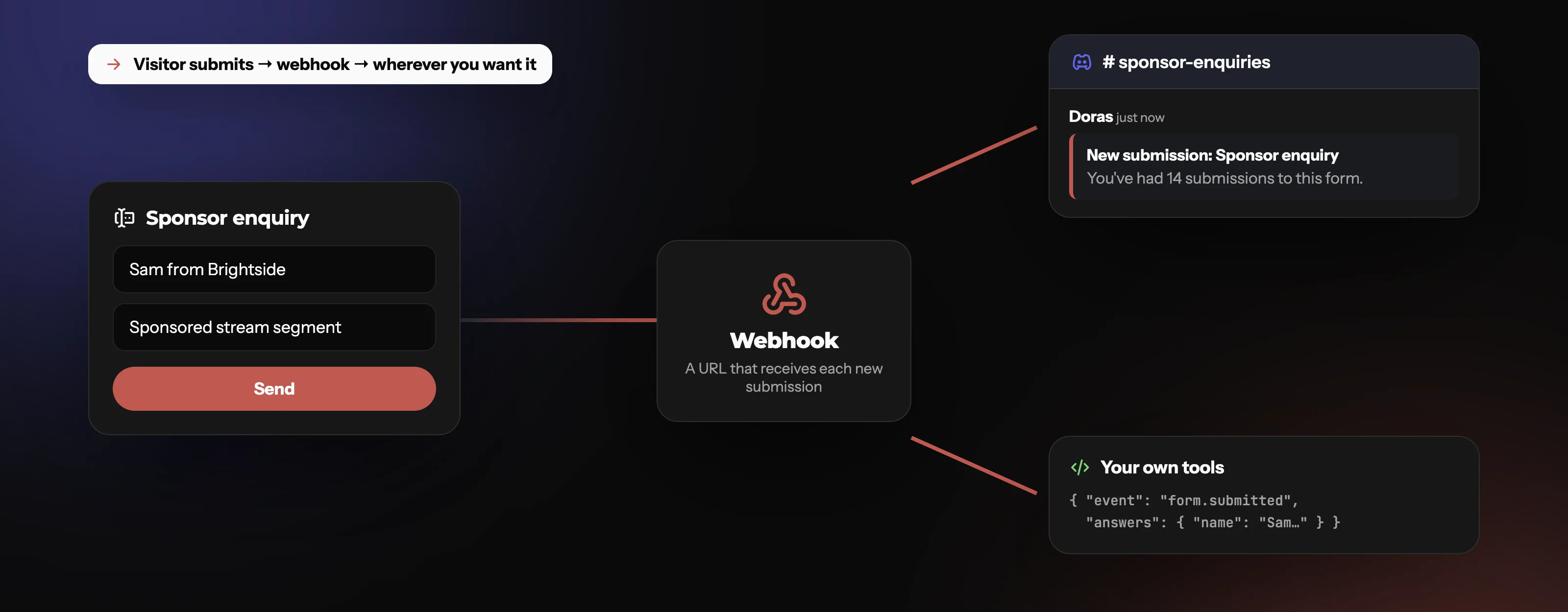
Never miss a sponsor in your DMs again
Each new submission posts a message in your Discord channel with a button to open it. Point a webhook at your own tools and it sends the answers too.
DMs vs email vs a contact form: which is better for inquiries?
DMs and an email address work for a while. A form keeps every inquiry in one place and asks the same questions every time.
| Feature | Contact form | DMs | Email in bio |
|---|---|---|---|
| One place for every inquiry | Partial | ||
| Keeps your email address private | |||
| Same questions answered every time | |||
| Easy to lose in other messages | Partial | ||
| Best for | Sponsors, collabs, applications | Quick chats with fans | Ongoing conversations |
Where submissions go
What each plan includes
| Feature | Free | Plus | Pro |
|---|---|---|---|
| Forms | none | Unlimited | Unlimited |
| Inbox, email and Discord alerts |
Frequently asked questions
More from Doras
Get inquiries where you'll see them
Forms on your page, alerts in your Discord.
Get Started